
Track Steps.
Stay Motivated.
A simple, beautiful step tracker for iPhone and Apple Watch. Build healthy habits, stay consistent, and hit your daily goals with smart insights and gentle motivation.
Three steps to a streak you keep.
Connect Apple Health
One tap to grant read access. Stepzy pulls the step and workout data your iPhone and Watch already record.
Set your daily goal
Separate weekday and weekend targets, or let the adaptive engine move them as your baseline changes.
Stay consistent
Progress rings, streaks with skips, achievements, and smart notifications that stay quiet when you're already moving.
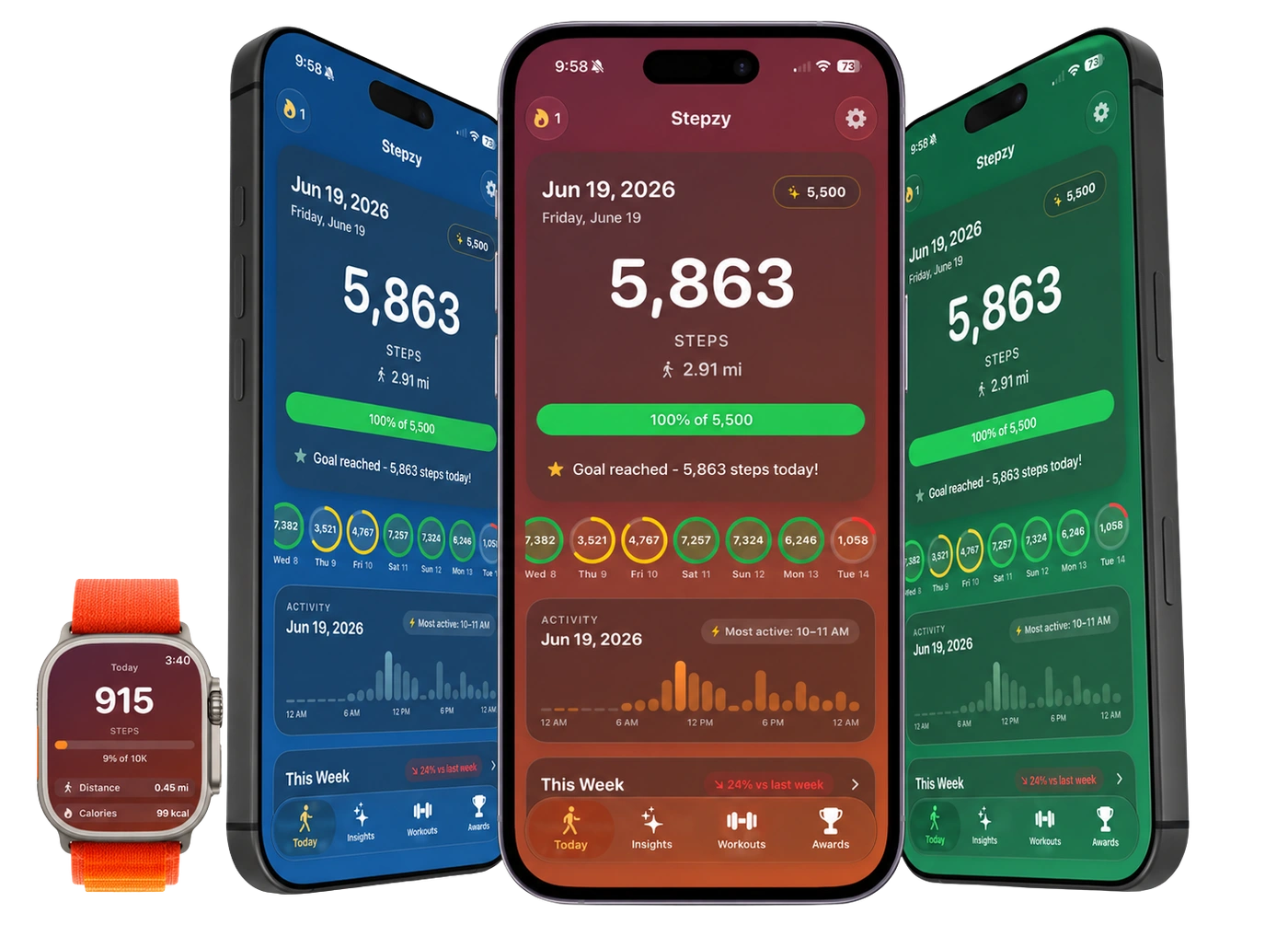
Every step, counted the moment you take it.
A live count with an animated progress ring, plus the metrics around it: distance, calories, heart rate, floors, and BMI.
- Animated progress ring updating live
- Date slider for any historical day
- 30-day, monthly, and yearly charts
- Hourly breakdown of when you moved
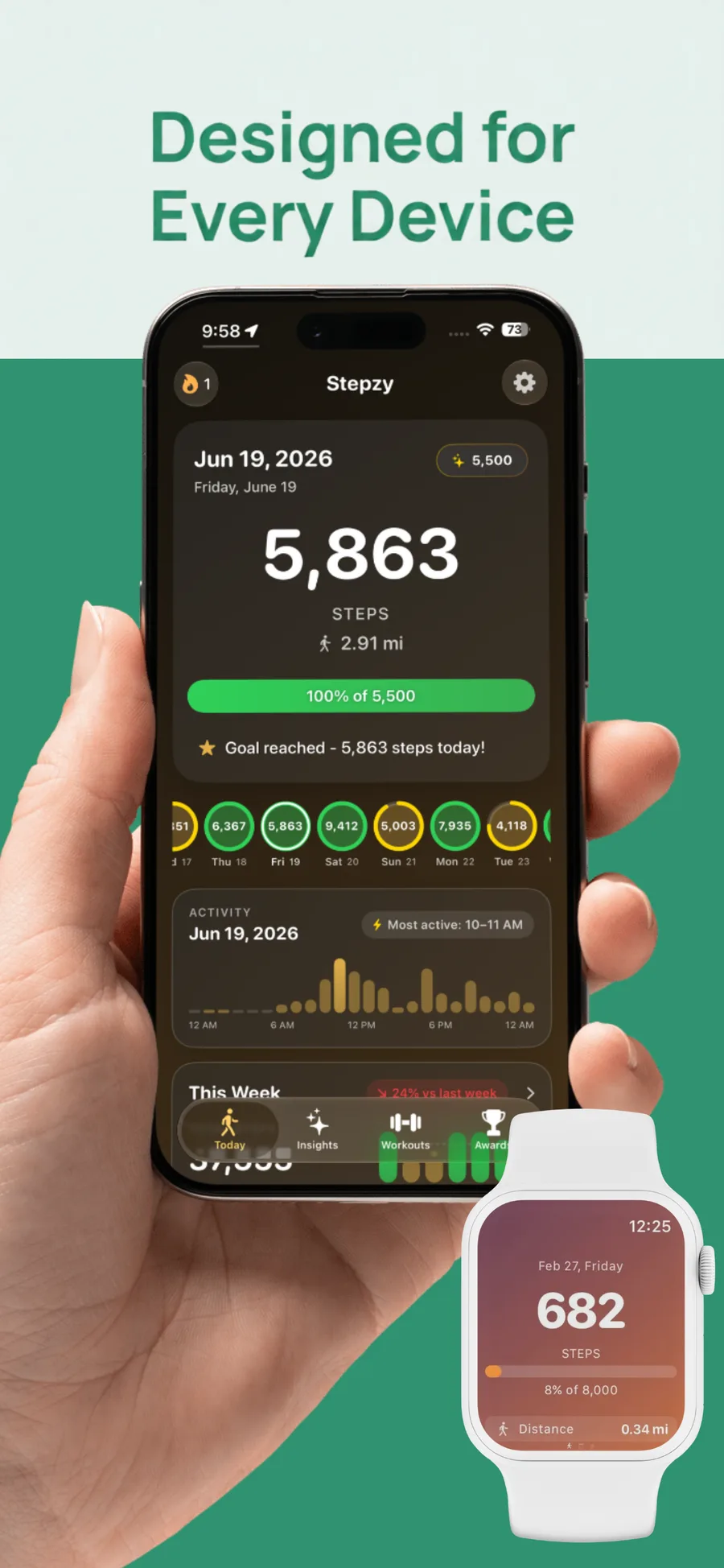
A goal that bends before you break.
Weekday and weekend targets are tracked separately, and Streak Skips mean one missed day doesn't erase a month of consistency.
- Weekday vs weekend split goals
- Streak Skips protect your run
- Adaptive goal engine follows your baseline
- Achievements with celebration animations
- Smart motivational notifications
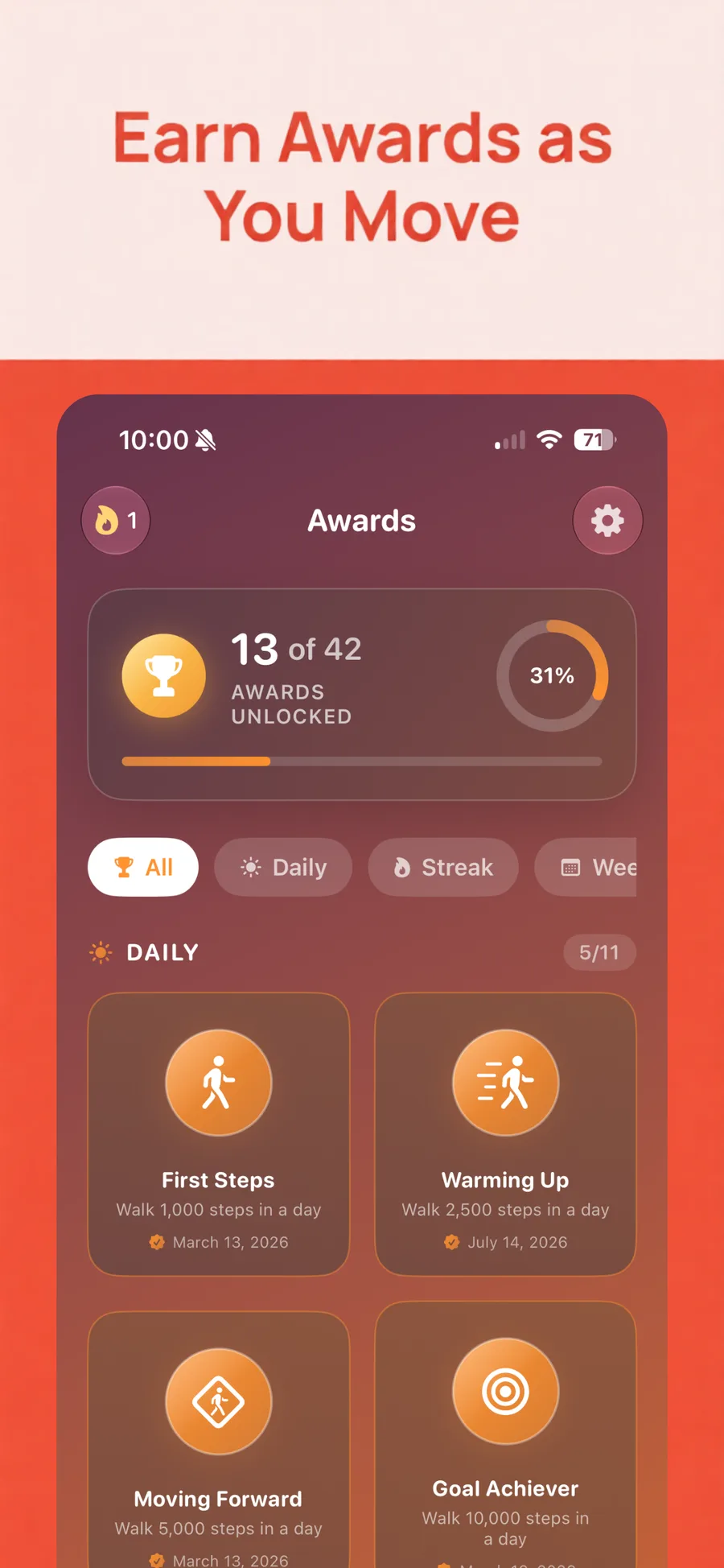
Patterns you'd never spot in a daily number.
Weekly, monthly, and yearly views surface your most active hours, your best days, and exactly where the habit slips.
- Hourly activity breakdown
- Week over week comparison
- Best day and daily average
- Weekday versus weekend split
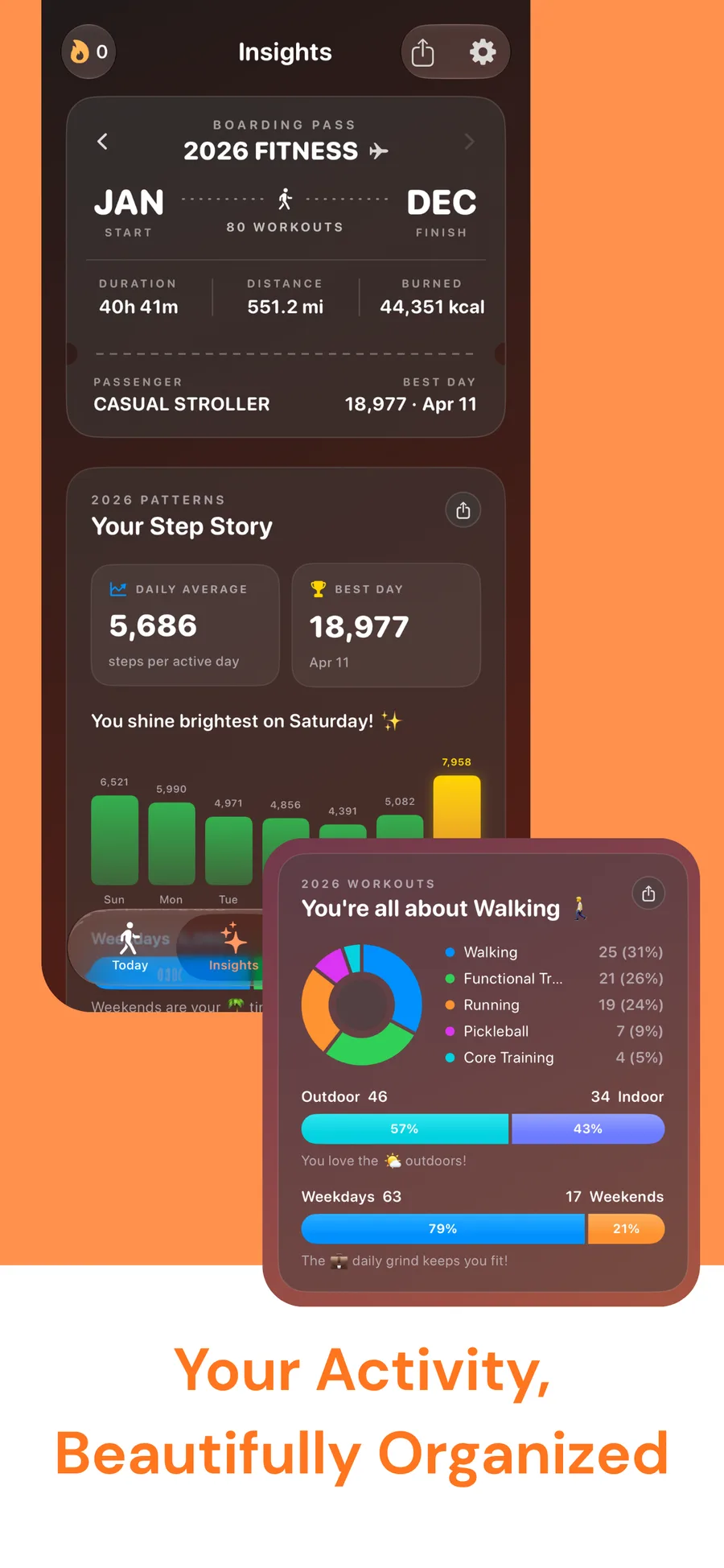
Workouts with the route attached.
Full history with GPS route maps and detailed performance data, read alongside the steps that surrounded each session.
- GPS route map per workout
- Duration, distance, and energy
- Yearly workout totals
- AI summaries of what changed
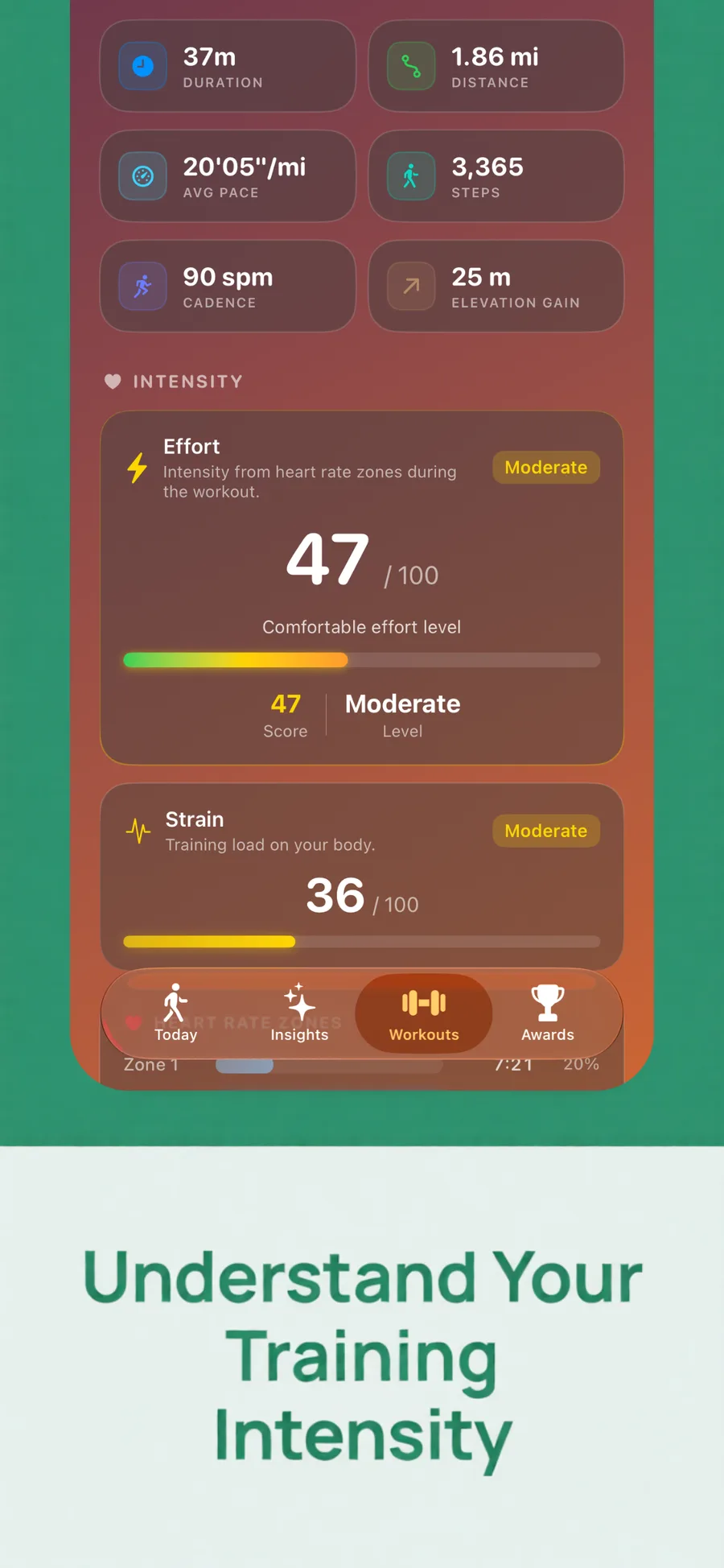
The ring, on your wrist.
A paged Steps, History, and Workouts interface, with the goal synced automatically from your iPhone.
- Live step ring on the wrist
- Paged Steps / History / Workouts
- Goal auto-synced from iPhone
- Complications for your main face
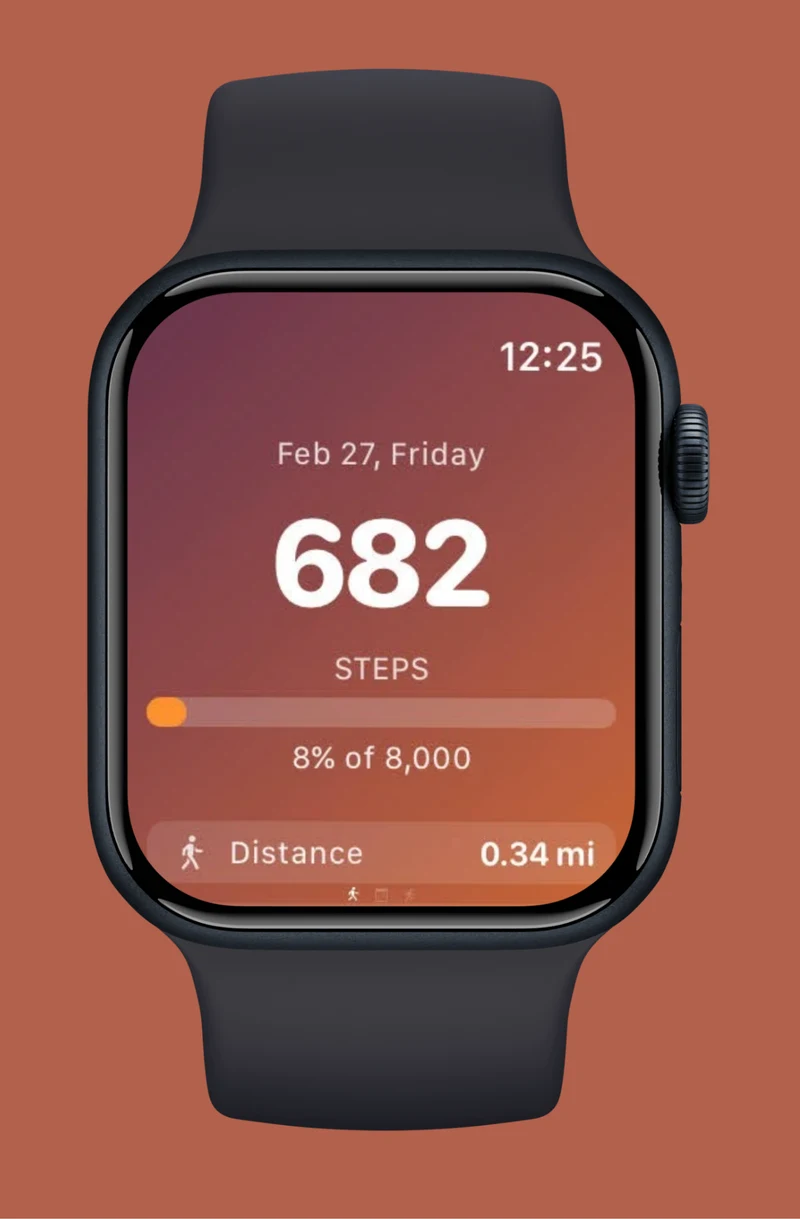
Glanceable, and worth sharing.
Five widget themes across Small, Medium, and Lock Screen sizes, a monthly calendar heatmap, and progress cards built for social.
- Sunset, Forest, Peacock, Berry, Midnight
- Small, Medium, Lock Screen circular / rectangular / inline
- Monthly calendar heatmap widget
- Shareable progress cards
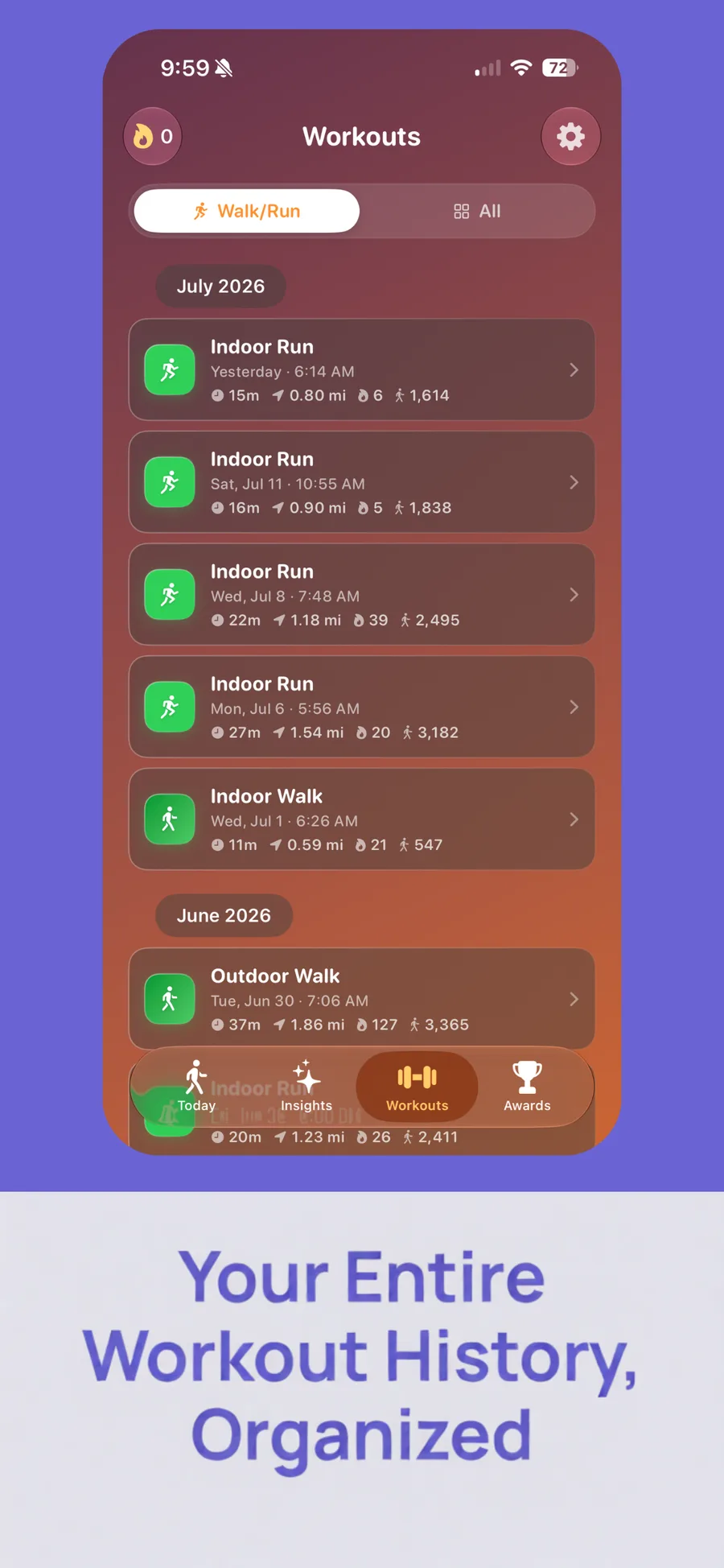
Coaching that actually knows your numbers.
After every workout and every day, AI Coach turns the activity Stepzy already tracks into a plain-language read: what stood out, tips tied to your own numbers, and one thing to try next - powered by Apple Intelligence.
- Runs entirely on-device with Apple Intelligence
- Assessment, tips, and a next step - grounded in your data
- Chat about any workout or your day
- Nothing is uploaded - works in airplane mode
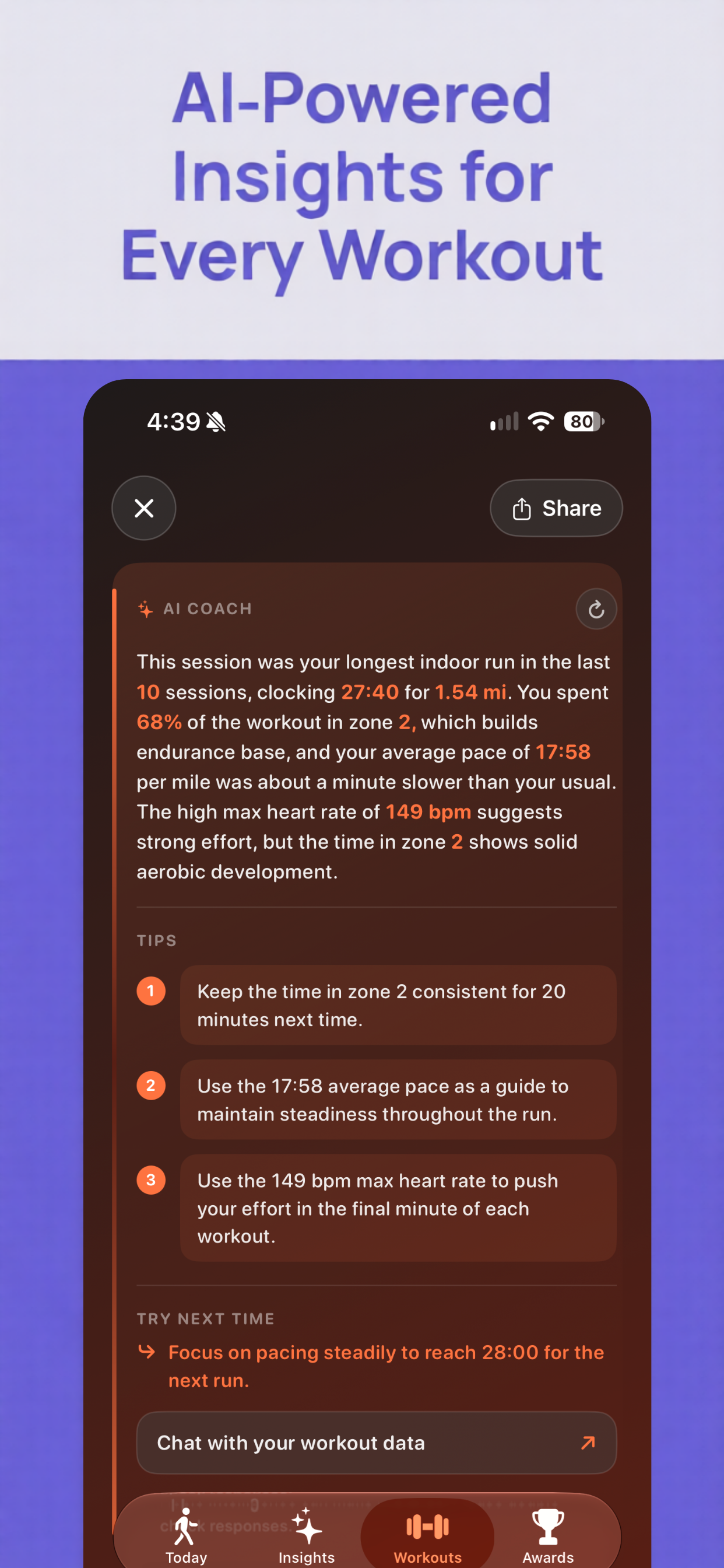
Synced straight from Apple Health - every workout type counts.
Every workout type in Apple Health is supported - the list above is just the most common ones.
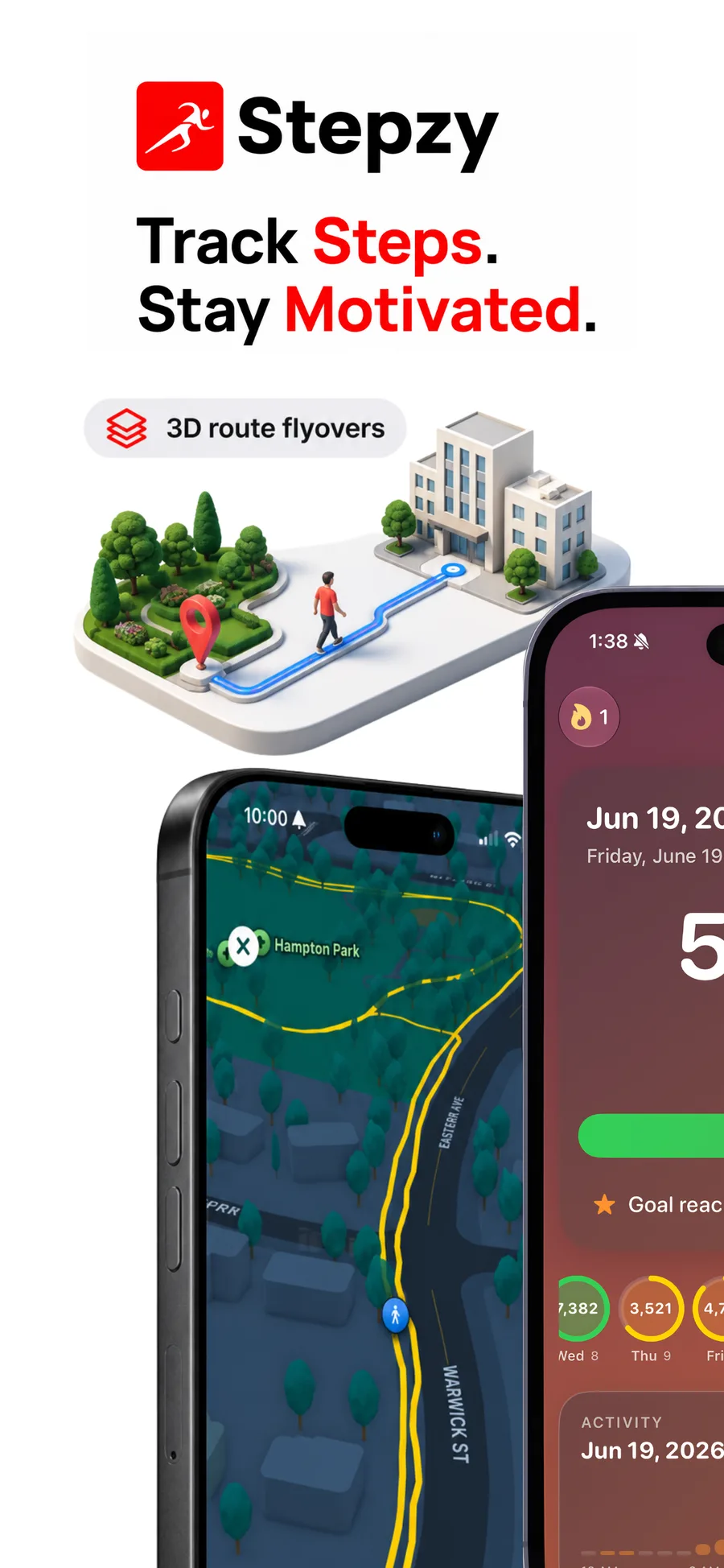
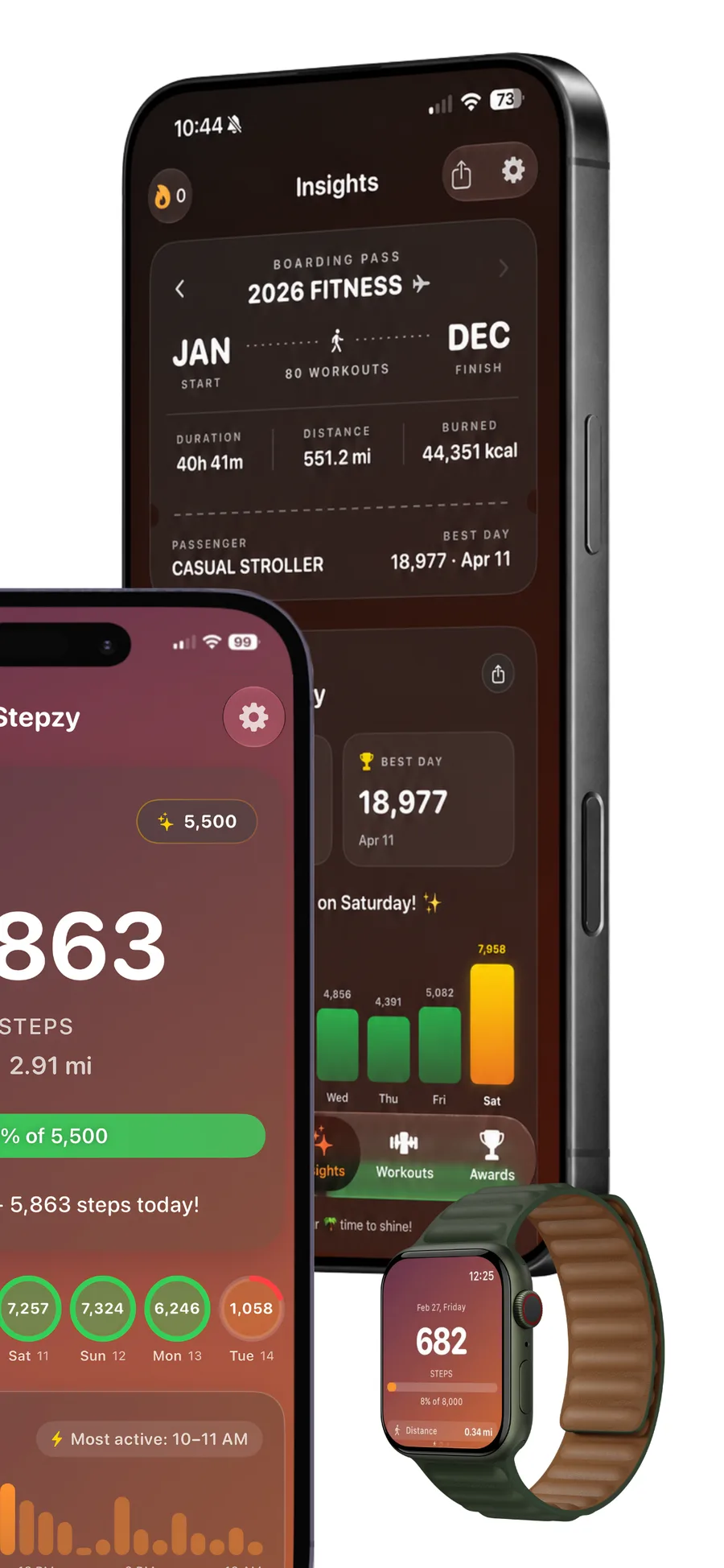
See Stepzy in action.
Swipe through real screens from the App Store - today's count, insights, workouts, and more.
The full feature set, not the highlight reel.
Live step tracking
Counts update in real time from iPhone and Apple Watch.
Animated progress ring
Your goal, shown as a ring you can read at a glance.
Date slider
Scrub back through any previous day of history.
Charts
30-day, monthly, and yearly views with hourly detail.
Health metrics
Distance, calories, heart rate, floors, and BMI.
Streak Skips
A missed day doesn't reset your streak.
Adaptive goals
Targets that move with your real baseline.
Achievements
Milestones with celebration animations.
Workout history
GPS route maps and detailed performance data.
Apple Watch app
Live ring, paged interface, synced goal.
Widgets
Five themes across Home and Lock Screen sizes.
iPad & CloudKit sync
Full iPad support, synced through iCloud.
Walking, habits, and the data behind both.
Practical writing on step targets, streaks, and getting more out of the numbers your iPhone already collects.
Apple Watch and iPhone Show Different Distance for the Same Walk? Here's Why
Your Apple Watch mostly estimates distance from arm swing; your iPhone can pull in GPS instead - two different methods measuring the same walk. The real mechanism, per Apple's own documentation, and how to fix a genuine mismatch.
Does Pickleball Count as Steps? What Your Apple Watch Actually Misses
A pickleball paddle keeps your wrist from swinging the way a free walk does - the same mechanic a 2022 wrist-tracker study measured directly. Why your step count can crash after a session, what a 2024 pickleball-specific study found, and what Stepzy still shows regardless.
Does Walking Your Dog Count as Steps? What Your Apple Watch and iPhone Actually Track
A tight leash stops your watch's arm swing cold - the same mechanic that undercounts a stroller push. What a 2017 study and Apple's own guidance say about the gap, and how to get real credit for the walk.
Does Dancing Count as Steps? What Your Apple Watch and iPhone Actually Track
Dancing usually does register as steps from the accelerometer - but counting toward your Exercise ring is a separate, stricter bar. What actually decides each one, and how to get real credit for a dance session.
How to Restart a Walking Habit After Falling Off Track
Falling off a walking habit is normal - restarting the wrong way is what actually kills it for good. A 2018 self-compassion study, and how Streak Skips and Adaptive Goals remove the two things that usually sink a comeback.
Japanese Walking Explained: The Real Research Behind Interval Walking Training (and How to Track It)
Interval walking training - alternating 3 minutes fast with 3 minutes slow - traces back to two real studies from Shinshu University in Japan, not a wellness trend. The exact protocol, what the research measured, and how to track your intervals and pace on an iPhone or Apple Watch.
Does a Stair Stepper (StairMaster) Count as Steps? What Your Apple Watch Actually Shows
A Stair Stepper's pedals bring you back to the same height with every cycle, so it rarely triggers a step or a flight climbed the way real stairs do. The wrist-swing and barometer mechanics behind it, and what actually gets your count moving.
How Many Steps to Burn Off a Big Mac, a Beer, or a Slice of Pizza?
A Big Mac takes roughly 11,600-15,100 steps to walk off; a banana takes about 2,100-2,700. The real steps-to-calories math for 10 common foods and drinks, and why "walking it off" isn't really how weight management works.
How Many Steps to Lose a Pound? The Real Math, Not Just a Table
The 3,500-calorie-per-pound rule is a rough estimate, not a fixed law. The real steps-per-pound range by body weight, why walking alone rarely closes it in a week, and what actually works instead.
Does Hiking Count as Steps? What Your Apple Watch and iPhone Actually Track
Hiking counts as steps like any walk - but trekking poles cut your count nearly in half, and elevation gain never shows up in the number at all. What actually happens on a trail, and what to check instead.
What people on the App Store are saying.
Read all reviews on the App Store →One-stop app for your health!
Stepzy is easily the most unique app on the market. I haven't seen anything else that integrates health and exercise data into a single app so seamlessly. It is incredibly convenient to have all my metrics in one place rather than jumping between different trackers.
Fantastic
Was in a wheelchair for eight years and beginning to walk in and now I'm able to be able to track those steps daily. This makes it a lot easier to keep track of. Well built.
Provides a lot of useful info
I've been using this for several months, and I really like it. It tracks all my steps and syncs with my Apple Fitness app. Insights and Workout tabs have a lot of useful information.
Simple and Motivational
Absolutely loved the app's UI and simplicity. No distractions and no ads. Would recommend to anyone looking for a straightforward app with zero distractions and only focusing on getting their steps in!!
Questions, answered.
Yes. Stepzy includes a dedicated Apple Watch app with a live step ring and a paged Steps, History, and Workouts interface. Your daily goal syncs automatically from your iPhone, so you never have to set it twice.
No. Stepzy reads the step and workout data your iPhone and Apple Watch already record in Apple Health, so your count updates automatically once you grant read access - no manual entry required.
Not necessarily. Stepzy's Streak Skips let an occasional missed day pass without resetting a streak you've been building, so one off day doesn't erase weeks of consistency.
Yes, Stepzy has full iPad support, with your data kept in sync across iPhone, iPad, and Apple Watch through CloudKit.
Yes. Workout history includes GPS route maps and detailed performance data - duration, distance, and energy - alongside the step activity that surrounded each session.
Stepzy reads step and activity data from Apple Health under permissions you control in iOS, and syncs your Stepzy data across your own devices using Apple's CloudKit. See our Privacy Policy for full details.
Yes. Stepzy ships with 20 app themes (four free, the rest with Pro) and five widget themes (Sunset, Forest, Peacock, Berry, Midnight) across Small, Medium, and Lock Screen sizes, plus a monthly calendar heatmap widget.
Start today. Keep the streak.
Free on the App Store. Syncs with Apple Health, works on your wrist, and on iPad.